Dashboard
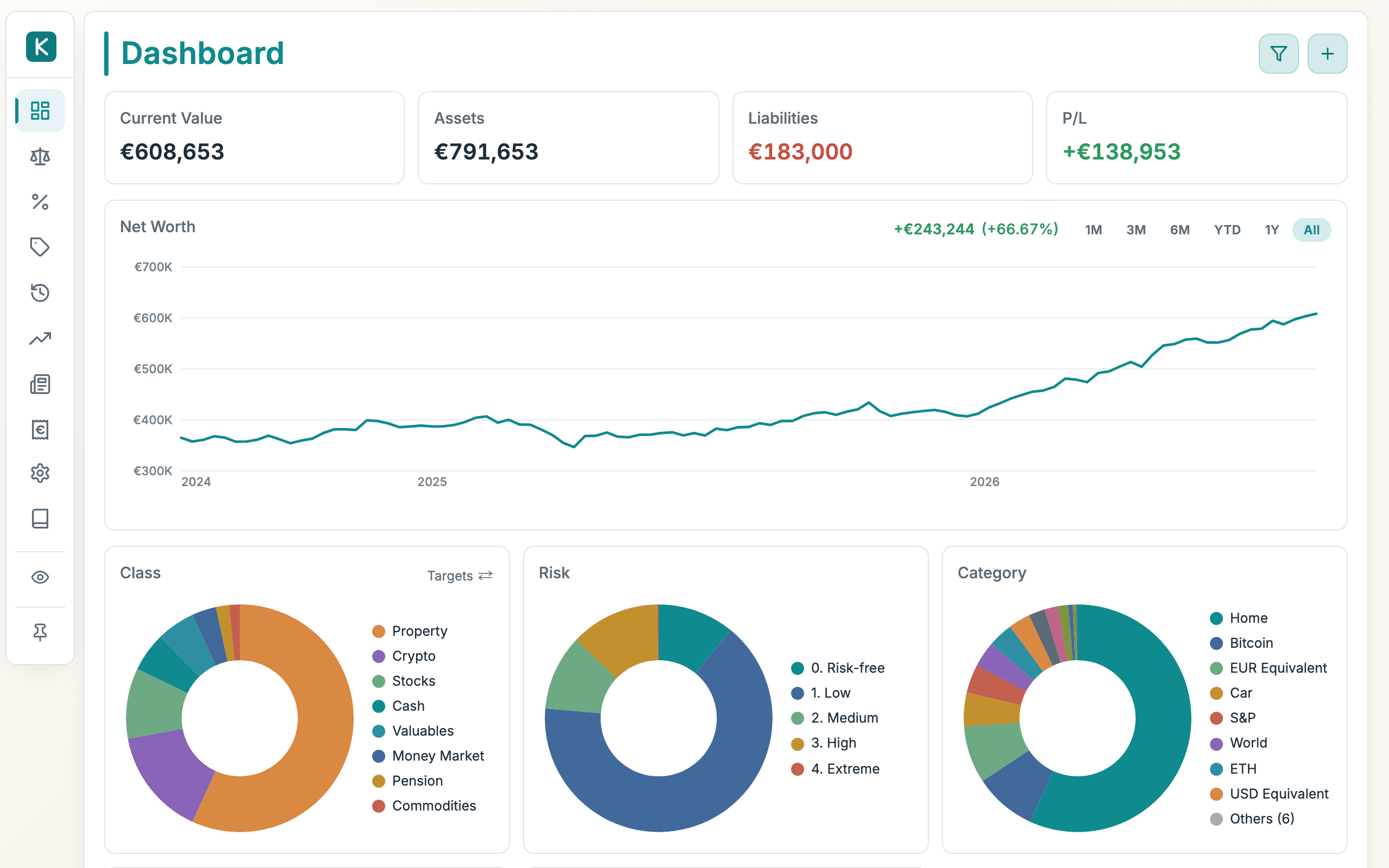
Your home screen for "where do I stand today?". It gives you headline totals, net-worth trend, how you're split across holdings, and the detail behind every line. It opens by default.
How to use
- Open the filters and narrow the view by Portfolio, Class, Risk, Category, Provider, or Ticker. Each accepts more than one choice; leave one empty to include everything in it.
- Keep Hide empty on to drop holdings you no longer hold; turn it off to see them. Use Show all to clear all filters (Reset restores your saved default view instead, if you have one).
- Read the cards at the top: Net worth (what you own minus what you owe), P/L, and Yield. When you hold debts, Assets and Liabilities cards also appear. Click any money figure to flip it between your base currency and dollars (hidden if your base already is dollars).
- Watch the Net Worth History chart for your daily trend.
- Use the donut charts below it (Portfolio, Class, Risk, Category, Provider, Ticker) to see how you're split.
- Drill into individual positions in the detail table at the bottom. Click a column heading to sort.
- Use Add to log a trade or a holding.
Good to know
- The net-worth trend counts every priced holding. To leave something out, a pension you can't touch, say, filter it out, save it as your Default view with the bookmark button, then turn on Apply to net worth in Settings. See Settings.
- Ad-hoc filters and Hide empty change the cards, donuts, and table, but not the trend chart. Only a saved Default view with Apply to net worth on reshapes the trend, and only from then on; past days aren't rewritten.
- Hosted accounts record a daily net-worth point automatically. The desktop app records today’s point when you open it and updates it at 22:00 Brussels time if it is still running. Days when the desktop app never runs are not filled in later; the chart connects the available points. Open the app daily for a daily record.
- The filters are shared across the Dashboard, Balance Sheet, Yield, History, and Prices. Change them on one tab and they change everywhere.